



05 Apr Adobe Premiere Pro vs After Effects: What’s the Difference?
Premiere Pro is a versatile video editing software that blends various forms of media to produce a cohesive video. Conversely, After Effects is a software tool that crafts and alters motion graphics and visual effects. After polishing the individual elements of visual content using After Effects, you can seamlessly integrate them into your video projects by importing them into Premiere Pro. .
The video production process is complex. Despite both being video creation tools, Premiere Pro and After Effects distinguish themselves through numerous significant differences.
-
Audio Editing
There is a wide range of audio settings in Premiere Pro, such as audio repair tools, audio mixing capabilities, snazzy sound effects, auto-dubbing and volume controls. In addition, the program also features an auto-dubbing feature, which can be an immense time-saver for video creators who need to dub audio over their visual content..However, when it comes to After Effects, the setting is entirely different. Although the software can detect audio linked to visual content, it only allows you to adjust its volume and doesn’t offer any additional functionality. As a result, video creators are likely to use Premiere Pro to improve the audio component of a motion graphics.
-
Video Tracks
Premiere Pro is an effortless and user-friendly video editing software due to its non-linear characteristics. It allows you to layer multiple pieces of media onto the same track. Although it may seem insignificant, the ability to view and edit all your clips in one place is crucial in ensuring a fast and efficient workflow. In contrast, Adobe After Effects operates in a one-piece structure, making it challenging to edit for long form video projects.
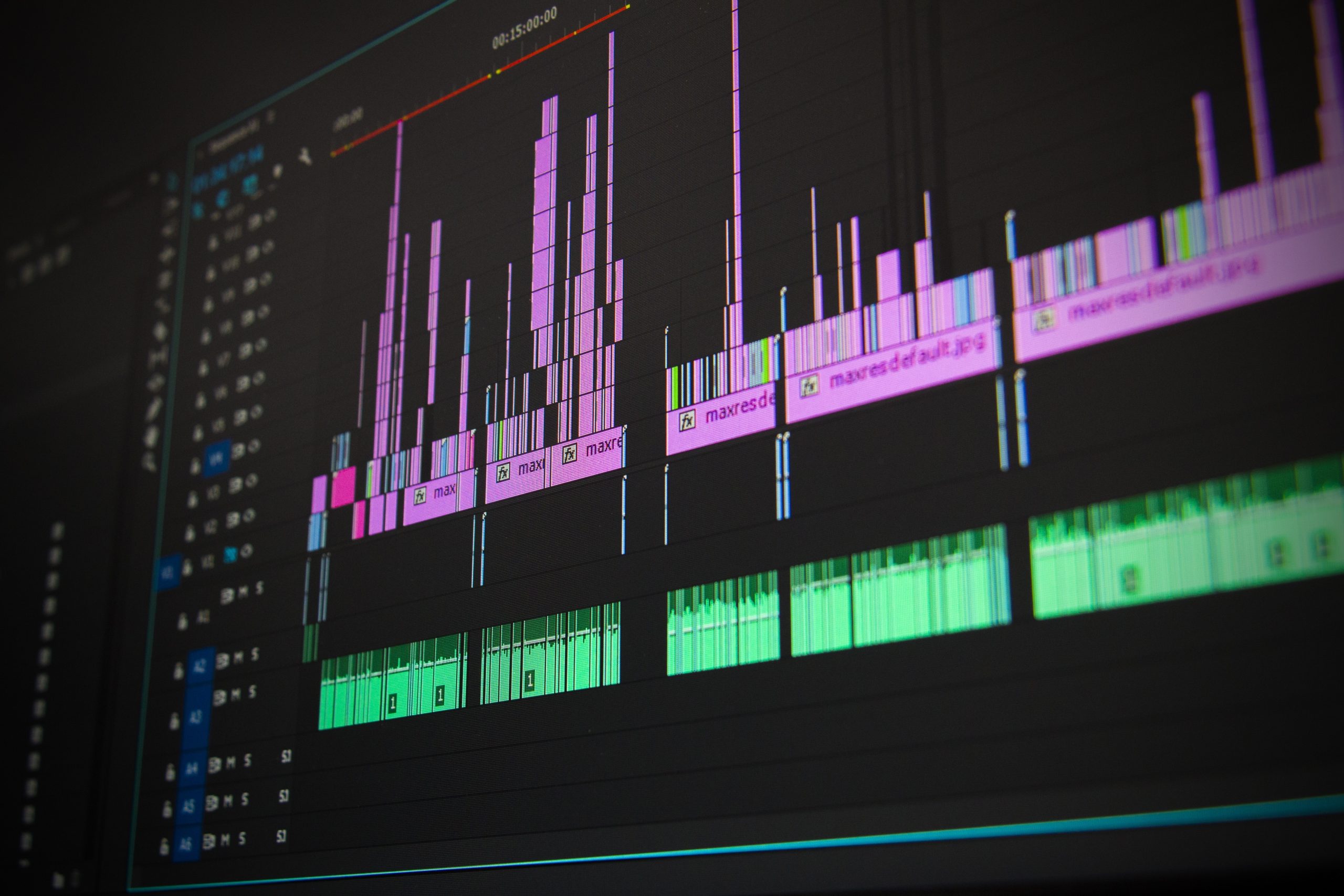
Adobe Premiere Pro Timeline Bar
-
Timeline Tools
If your goal is to create a narrative timeline, Adobe Premiere Pro is the right tool to use. The software contains a multitude of settings that makes the video editing process fast and seamless.
Can you imagine how time-consuming it would be to create a sequence without essential tools such as the ripple edit, razor, and slip tools? To get a better idea, try editing an entire project solely in After Effects, where the timeline tools are relatively limited.
-
Multicam
When editing a multicam project, such as weddings, concerts or sports events, it’s highly useful to view all the angles at once. Premiere Pro enables you to do precisely that by creating a multi-camera source sequence.
This setup enables you to simultaneously view all your synced clips in real-time. It also eliminates the need to physically sort through each clip and select the best moments. This makes it simpler to choose the best shots.
-
Digital Alteration
After Effects is often referred to as the Photoshop of video editing, and when it comes to digitally altering footage, this comparison couldn’t be more apt. With its extensive range of features, After Effects allows video creators to transform and manipulate their footage in ways that were once only possible with still images.
By utilizing the Clone Stamp tool, you can easily remove or modify unwanted objects in a scene. Whether it’s crew members and branded signage, the Clone Stamp tool enables users to copy pixel values from one area of your footage and apply them to another area to create an ideal backdrop. Additionally, After Effects includes a wire removal tool.which is useful to remove any unwanted scenes from the footage. For example, you can remove support ropes and visible harnesses that are visible in a stunt scene.
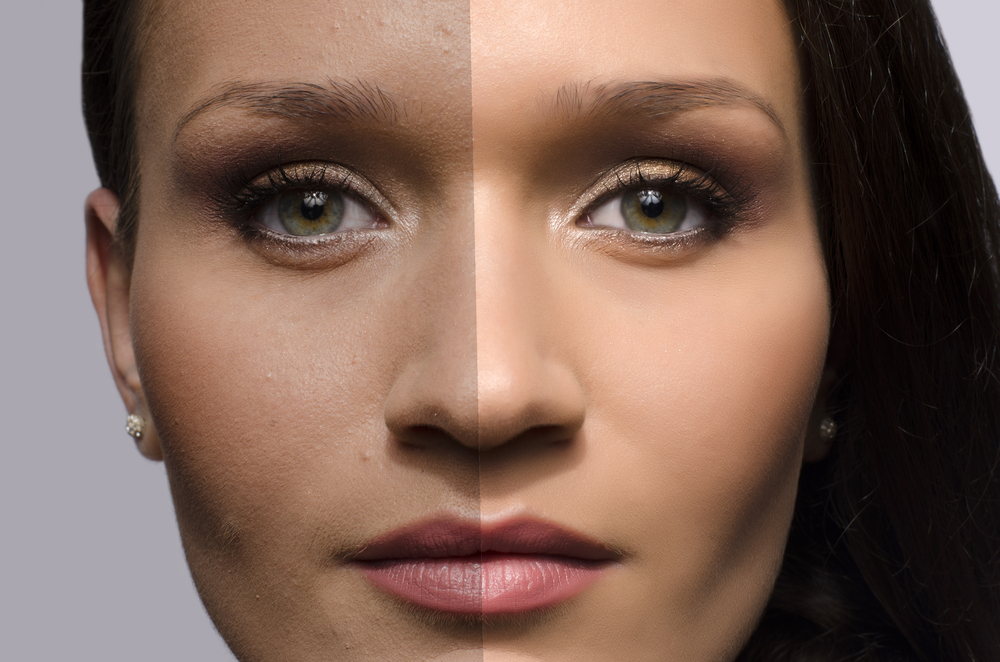
Source: Digital Alteration
-
Keyframe Workflow
When it comes to keyframing, After Effects is a much more effective tool than Premiere Pro. The interface of After Effects is well-suited for the task of keyframing due to its simplicity, making it ideal for intricate and sometimes finicky animations. Furthermore, After Effects has a graph display that allows for more precise keyframe adjustments, making it easier to fine-tune the speed and direction of your elements.
The graph display shows a visual representation of the motion path and velocity of each keyframe, allowing you to adjust the speed and easing of your animation with more control. This feature is particularly useful for intricate animations where small adjustments can make a big difference in the overall effect.
Conclusion
If you are a beginner in video production, Premiere Pro is the right tool to use. It’s easy to use and users can utilize the shortcuts and produce at their own pace. In this digital age, free tutorials and forums are invaluable resources that you navigate any problem you encounter when editing a video.
Besides that, the knowledge gained from using Premiere Pro can be transferred into After Effects. Premiere Pro is designed for assembling various media elements, such as video clips, audio tracks, and images, into a cohesive sequence, with a wide range of tools and features to enhance the editing process. After Effects, on the other hand, is focused on creating visual effects, complex motion graphics, composites, and special effects, offering a variety of tools and features to precisely control each element in your composition.
When it comes to choosing between Adobe Premiere Pro and After Effects, beginners may find Premiere Pro is a more user-friendly option. But as you become more experienced, it’s worth exploring the more advanced features of After Effects and incorporating both tools into your workflow to achieve the best results.
If you are looking for a professional post-production service with unmatched quality in Kuala Lumpur, Penang, or anywhere else in Malaysia, Bold Media can assist you. We are happy to provide you with more information if you are interested in delving deep into the process of post-production.